
BWM ReferenceWiring
UART: TX, RX and a shared reference
Connect a logic-level serial adapter to a compatible board console.
Applies to: Non-isolated, compatible logic-level UART. TX/RX labels are from each device's own perspective; no universal header order is implied.
When to use it
Reading development-board logs or sending simple commands over a short local connection.
Why it works this way
UART needs no separate clock wire, but both ends must agree on baud rate and framing.
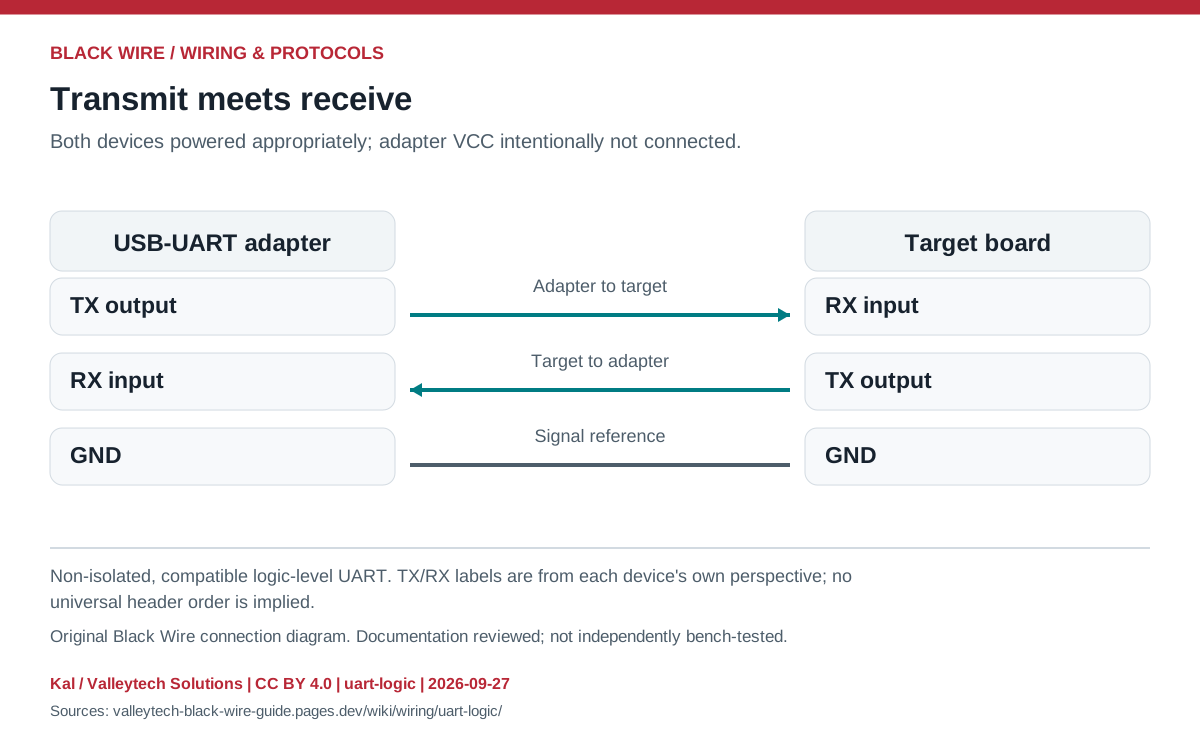
Connection reference
| Adapter | Target | Purpose |
|---|---|---|
| TX | RX | Send data |
| RX | TX | Receive data |
| GND | GND | Common reference |
Make the connection
- Confirm the target's I/O voltage and the adapter's actual TX level; a supply-voltage jumper may not change TX voltage.
- Wire with power off, then select the documented baud, data bits, parity and stop bits.
- Start by reading logs; garbled text often indicates framing, voltage or grounding trouble.
Check before powering
- Do not connect two TX outputs together.
- RS-232 voltage levels require a transceiver; a USB connector alone does not identify an adapter's electrical interface.
Sources & review
Source documents inspected; independent electrical and bench review pending. Reviewed 2026-09-27.
- Analog Devices: UART communication
Hardware interface, baud rate and data framing · checked 2026-09-27 - Analog Devices: RS-232 fundamentals
DTE / DCE and RS-232 electrical interface · checked 2026-09-27
Original writing and diagram by Kal / Valleytech Solutions, CC BY 4.0. Manufacturer artwork and documentation retain their own rights. CC BY 4.0
Diagram fingerprint
e0b314edb092a27b6f3aaf22efd15f30637cd7c8c2cd2e28d1fbd62b09670ab9