
BWM ReferenceWiring
Phone jacks: RJ11, RJ14 and USOC terminals
Recognize telephone connector families and a documented screw-terminal conversion.
Applies to: The conversion below is for the cited Leviton G/R/Y/B telephone wallplates. Handsets, digital PBX ports and country-specific cords may differ.
When to use it
Identifying an analog telephone wall jack and its pair labels.
Why it works this way
Connector contact count and service wiring are different things: RJ11 is one line, RJ14 two, and RJ25 three.
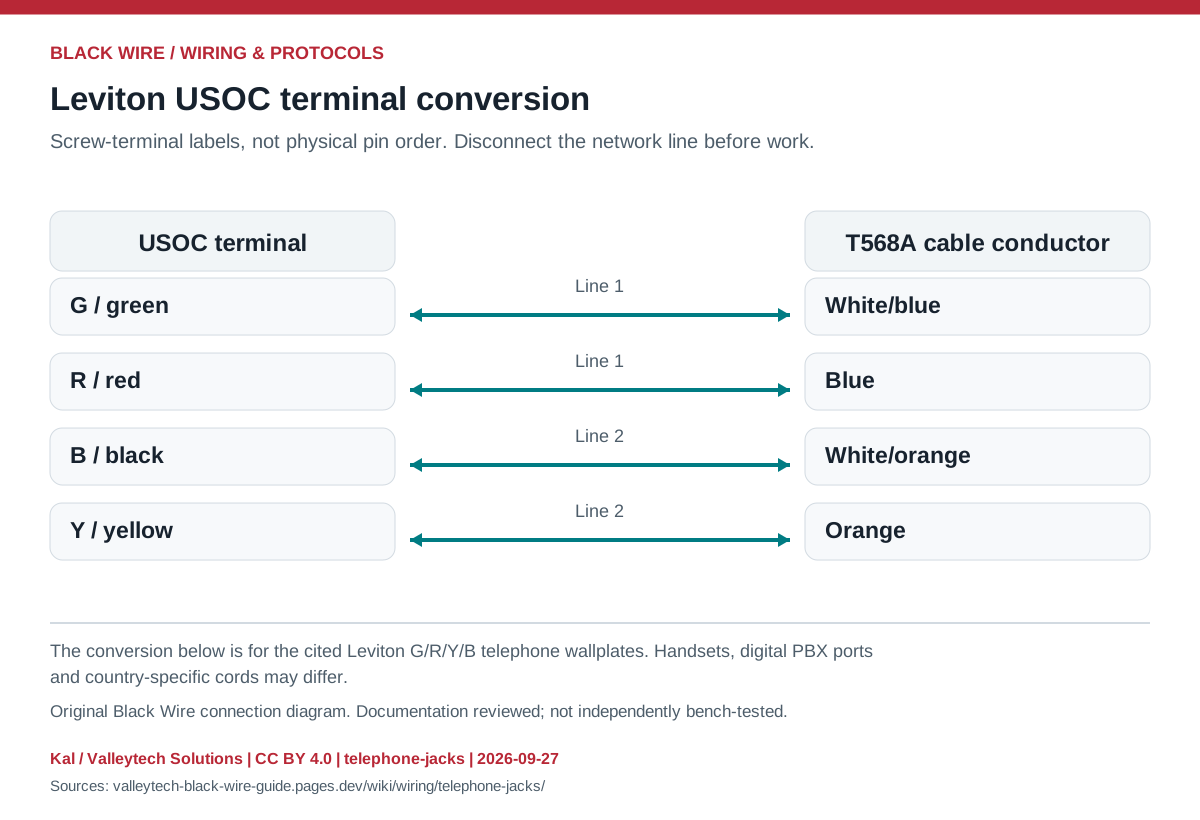
Connection reference
| USOC terminal | T568A conductor | T568B conductor |
|---|---|---|
| G / green | White/blue | White/blue |
| R / red | Blue | Blue |
| B / black | White/orange | White/green |
| Y / yellow | Orange | Green |
Make the connection
- Record existing terminal labels and identify the service before changing wiring.
- Use the matching manufacturer's terminal map and check cable continuity while disconnected.
Check before powering
- A live telephone line is not a GPIO-level signal; never connect it directly to a microcontroller.
- A telephone plug fitting a larger socket does not establish electrical compatibility.
Sources & review
Source documents inspected; independent electrical and bench review pending. Reviewed 2026-09-27.
- Leviton telephone wallplates, PK-93298-10-02-0H
Page 1: USOC to T568A/B conversion; G/R/Y/B screw terminals · checked 2026-09-27 - Fluke Networks: RJ connector naming
RJ11 / RJ14 / RJ25 versus modular connector contact counts · checked 2026-09-27
Original writing and diagram by Kal / Valleytech Solutions, CC BY 4.0. Manufacturer artwork and documentation retain their own rights. CC BY 4.0
Diagram fingerprint
bdb643ded276240844dc5936f273eb241bd49f47fc08b5c36ddbc7c74d637b76